


ClothShift – AI Fashion Try-On
1.83.00 Reviews
App Specs
- Version
- 2026.5.7
- Updated On
- License
- Free
- Downloads
- 50,000+
- Developer
- ElmaDev
- Categories
- Beauty
- Platform
- Android
Screenshots
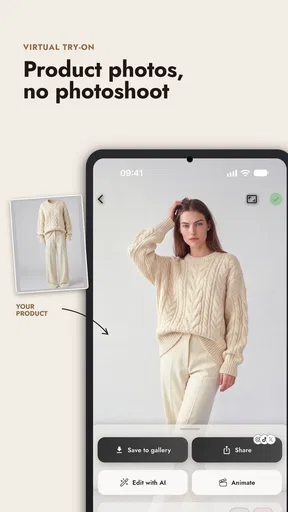
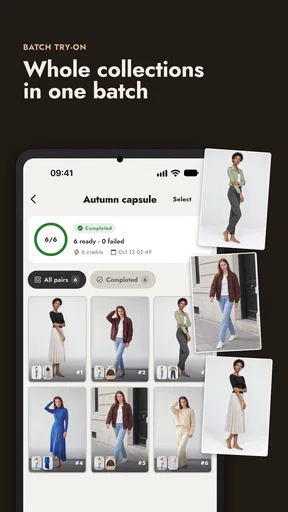
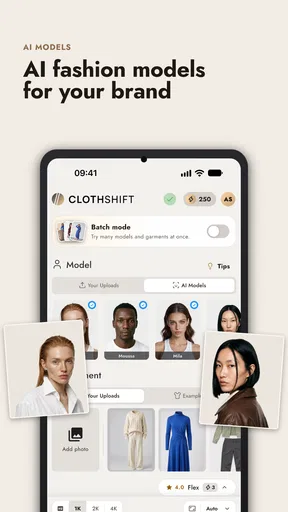
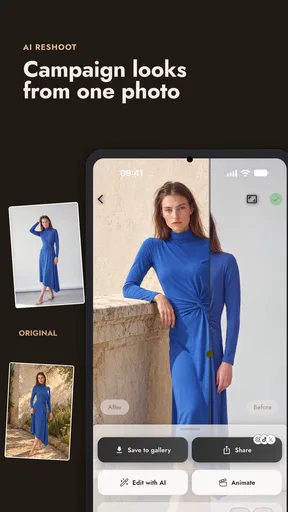
 Analysis by AppCompare
I see ClothShift – AI Fashion Try-On as a playful visual tool with a practical question at its center: can a generated preview help me decide whether an outfit is worth pursuing? It can make fashion experimentation feel less like guesswork, especially when I want to compare ideas without changing clothes. But I would treat the images as inspiration, not as a dependable fit check or a substitute for seeing fabric in person.
That distinction matters because virtual try-on apps are easy to overread. A convincing-looking image can help me judge an outfit’s general mood, color pairing, or silhouette, yet it cannot tell me how a garment feels or how it moves. If I approach it as a way to explore possibilities rather than a promise of what a real purchase will look like, the idea is much more useful.
A quick way to test an outfit idea
The most helpful use is often deciding between broad style directions. Before an event, I might be unsure whether a dressier look or a more relaxed one feels right. A generated preview can give me a starting point for that decision and help me notice which colors or combinations appeal to me before I spend time putting them together in front of a mirror.
For a more useful comparison, I would keep the source photo consistent and change one element at a time. If I switch the photo, pose, lighting, and outfit all at once, it becomes difficult to tell what is driving the difference between results. Holding the photo steady makes the visual comparison clearer, even though it still cannot establish real-world sizing or fit.
What a generated preview can and cannot tell you
A virtual image is strongest as a styling prompt. It can help me consider whether an overall look feels too formal, too casual, or simply unlike my usual choices. It is less helpful for fine details that depend on real materials, exact proportions, or movement. I would not use a generated result to decide that a garment will fit comfortably or look identical on my body in person.
That makes ClothShift different from browsing a retailer’s product photos or using a store’s own size guidance. Retail images can show the actual item, while size charts and fitting rooms address questions a simulated outfit cannot settle. ClothShift is better suited to early-stage visual exploration; for a purchase decision, I would still check the garment’s details and use the retailer’s return and sizing information where available.
Getting Started with ClothShift
First things first, let me walk you through the initial setup. Downloading and installing ClothShift – AI Fashion Try-On was a breeze. Available on both Android and iOS, you can easily find it on Google Play or the App Store. Once you’ve got it on your phone, the app asks for a few permissions. Yes, it needs access to your camera and gallery, which makes total sense since it’s all about trying on clothes virtually.
Worth Reading Before You Choose

Flipboard Shows What News Apps Must Do Beyond the Feed

Switching to Android Auto Means Rethinking Your Driving Routine

Google Calendar Makes a Crowded Week Easier to Manage

Ludo King Makes the Most of the Minutes Between Plans

Baby Panda World Brings Quick Play to Modern Phones, but Its Game Library Feels Busy

ESPN’s Live Game View Makes Following Close Games Easier
Setting up your profile is quick and straightforward. You can either take a fresh selfie or upload a picture from your gallery. The app does an impressive job of scanning your image and voila, you’re ready to dive into the world of virtual fashion!
Features That Make ClothShift Stand Out
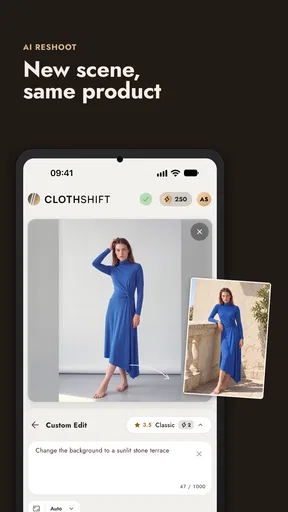
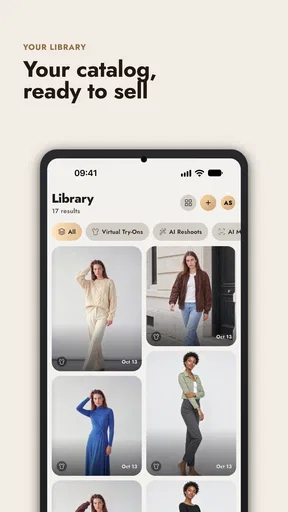
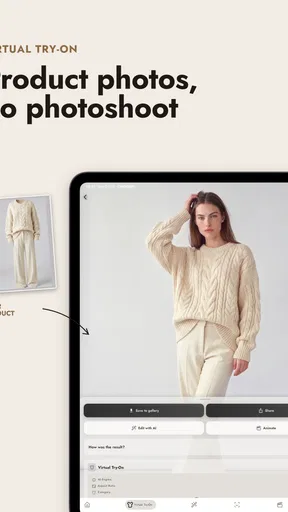
Now, let’s talk features. The app offers a robust collection of outfits to choose from. Whether you’re looking for casual wear, business attire, or something fancy, ClothShift has got you covered. The AI technology is pretty impressive. It accurately maps the clothes onto your image, giving you a realistic view of how you’d look in that new dress or suit.
One thing I was particularly impressed with is the variety. You’re not just limited to clothes; the app lets you try on accessories too. Hats, sunglasses, jewelry – you name it. It’s an entire wardrobe at your fingertips. Plus, if you’re feeling adventurous, you can mix and match to create your unique style.
For better results, I’d choose a clear photo where my outfit and posture are easy to see, rather than a tightly cropped selfie. A simple background and even lighting also make it easier to focus on the styling change instead of distractions in the original image. This is a practical trade-off: taking a little care with the source photo can make comparisons more useful, but it does not turn the preview into a precise fitting tool.
I would also use the accessory options to test a finishing touch, not just to decorate an outfit. Trying a hat or sunglasses against the same base look can help me decide whether the whole combination feels balanced. If the result looks odd, I would change one item rather than rebuild the outfit from scratch; that makes it easier to see whether the accessory or the clothing is responsible for the change in impression.
How Does It Perform?
Performance-wise, the app is smooth. I didn’t encounter any lags or crashes, which is always a good thing. The interface is clean and user-friendly. Even if you’re not tech-savvy, you’ll find it easy to navigate. The loading times for trying on different outfits are quick, so you won’t be left waiting around.
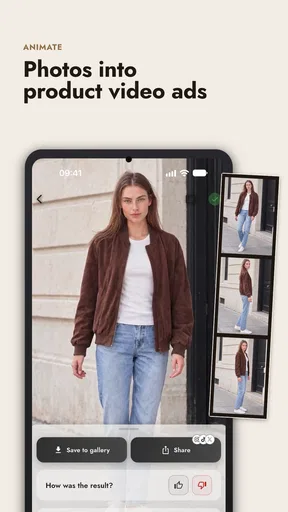
Another cool feature is the social sharing option. Once you’ve created an outfit you love, you can easily share it with friends or on social media directly from the app. It’s a fun way to get feedback or just show off your virtual wardrobe.
A realistic moment for using it is getting ready for a dinner or a family gathering when I have several possible looks but limited time to try them all. I could use a single photo to compare a few outfit directions, then pull the closest real clothes from my wardrobe and check them in a mirror. That workflow keeps the app in its strongest role: narrowing down ideas before I commit to the physical version.
Who will get the most from it
I think the app suits people who enjoy experimenting with personal style, want a quick visual prompt, or like collecting opinions before choosing an outfit. It may also help someone who feels stuck in a routine and wants to see a different direction without making an immediate purchase. Since the app is free to install, it is easy to try cautiously; optional in-app purchases range from about three dollars to fifteen dollars per item, so I would explore the free experience before paying for anything.
On the other hand, I would skip it if my main goal were accurate garment sizing, dependable color matching, or a guarantee that an item will look exactly as shown. Someone shopping for a specific product may be better served by that retailer’s own photos, measurements, and fitting options. A conventional mirror is still more useful for checking movement, comfort, and how clothes sit from different angles.
What to know before installing
ClothShift is a free beauty app from ElmaDev, with an Everyone age rating. It has more than fifty thousand installs, while its average rating is 1.8 from over a hundred ratings and a small number of written reviews. I would take that low average seriously rather than assuming every experience will match mine. It is a reason to keep expectations measured, test the basic workflow first, and avoid spending money until the app proves useful to you.
The release date is January 24, 2025, and the current version is 2025.10.04. It runs on Android 7.0 or later. Those details make it possible to check basic compatibility before installing, but the more important decision is whether a visual styling aid fits the way you make outfit choices. The app is not a shopping measurement tool; it is a place to play with possibilities and decide what you might want to try on for real.
One question I would ask before sharing a result is whether I am comfortable sending that image outside my camera roll. A photo can be personal even when it is only being used for a fashion preview, so I would choose an image I feel comfortable using and think twice before posting a result publicly. Sharing can make feedback more fun, but keeping a preview private is a perfectly sensible way to use the app too.
Final Thoughts
So, is ClothShift – AI Fashion Try-On worth a download? I’d say absolutely. It’s a fun, innovative tool that brings a new dimension to the way we shop for clothes. Whether you’re indecisive about your next outfit or just love playing with fashion, this app has something for everyone.
Sure, it might not replace the feel of trying on clothes in a store, but it’s a fantastic alternative, especially for those days when you’re short on time or simply want to avoid the hassle of changing rooms. Plus, with the constant updates and additions to their clothing line, there’s always something new to try.
In summary, ClothShift – AI Fashion Try-On is a must-have for any fashion enthusiast or anyone looking to spruce up their style game. Give it a shot and let the AI stylist in your pocket revolutionize your wardrobe! Enjoy the fashion journey!
Pros
- Realistic virtual try-ons enhance shopping experience.
- Wide variety of clothing styles and brands.
- User-friendly interface with intuitive navigation.
- AI sizing recommendations improve fit accuracy.
- Regular updates with latest fashion trends.
Cons
- Requires high-speed internet for optimal performance.
- Limited offline functionality restricts access.
- Occasional AI inaccuracies in clothing fit.
- App may consume significant battery power.
- Some features locked behind in-app purchases.
FAQs for ClothShift – AI Fashion Try-On
What is ClothShift – AI Fashion Try-On?
ClothShift – AI Fashion Try-On is an innovative app designed to enhance your online shopping experience by allowing you to virtually try on clothes using advanced AI technology. By uploading your photo, the app superimposes clothing items onto your image, providing a realistic preview of how different outfits will look on you.
How accurate is the virtual try-on feature?
The accuracy of ClothShift's virtual try-on feature largely depends on the quality of the uploaded image and the specific clothing items. While the AI strives to provide a realistic representation, various factors such as lighting and body posture can affect the outcome. Users report generally positive experiences, but it's always recommended to double-check measurements before purchasing.
Is ClothShift – AI Fashion Try-On free to use?
ClothShift offers a free version with basic features, but to access its full range of capabilities, such as a larger selection of outfits and high-resolution previews, users may need to subscribe to a premium plan. This allows the app to provide enhanced features and support continuous development and improvement.
What types of clothing can I try on with ClothShift?
ClothShift boasts a diverse wardrobe, including casual wear, formal attire, and seasonal collections. The app frequently updates its catalog to incorporate the latest fashion trends and collaborations with popular brands, ensuring users have a wide variety of options to explore and try on virtually.
How does ClothShift ensure user privacy and data security?
ClothShift prioritizes user privacy by implementing robust data encryption and secure servers. Photos uploaded for virtual try-ons are not stored permanently and are processed solely for the purpose of providing the service. The app complies with industry-standard privacy regulations to safeguard user information.


